Manage organization settings
The organization is the top-level Clerked account. It contains companies, sign-in members, primary roles, and shared role definitions.
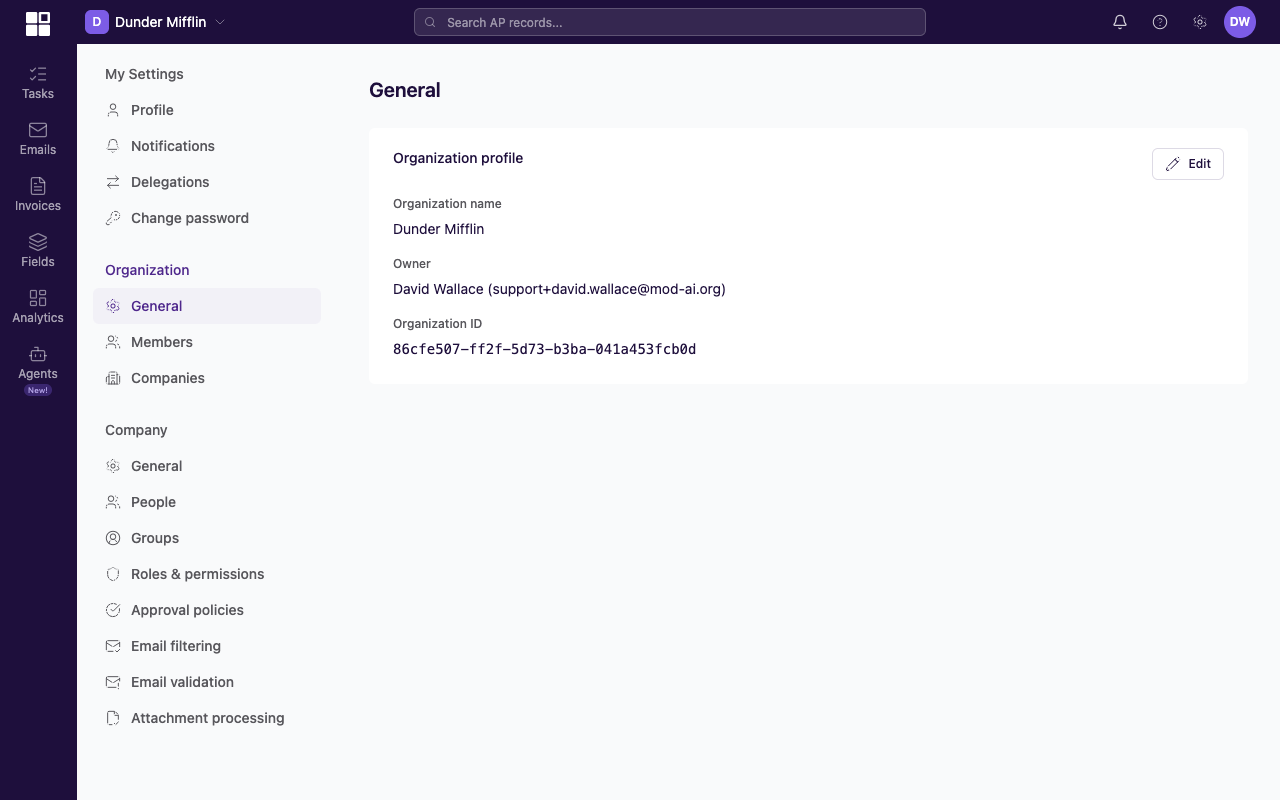
Organization General shows the organization name, owner, and ID.
Who can open this page
You need primary:organization:view. The primary Administrator role includes it by default. A custom primary role can include it without granting every Administrator action.
Updating the name also requires primary:organization:update.
Open organization settings
- Select Settings near the bottom of the main navigation.
- Under ORGANIZATION, select General.
View organization details
The page shows:
- Organization name.
- Owner.
- Organization ID, with a copy control.
The current page does not list every Administrator and does not provide an ownership-transfer action.
Change the organization name
- Select Edit at the top-right of the organization card.
- Change Organization name.
- Select Save in the card footer.
The owner and organization ID are read-only on this page. Contact support@clerked.ai for ownership questions.